Your private AI assistant.
100% offline.
NoteFlow records meetings, transcribes live with AI, generates structured notes, chats with your documents, and answers your WhatsApp messages — all on your computer. No cloud. No account. Unlimited AI.
Windows 10/11 · Free tier included
100%
Offline Capable
0
Data Sent to Cloud
Unlimited
AI Usage
<$1
Per Month
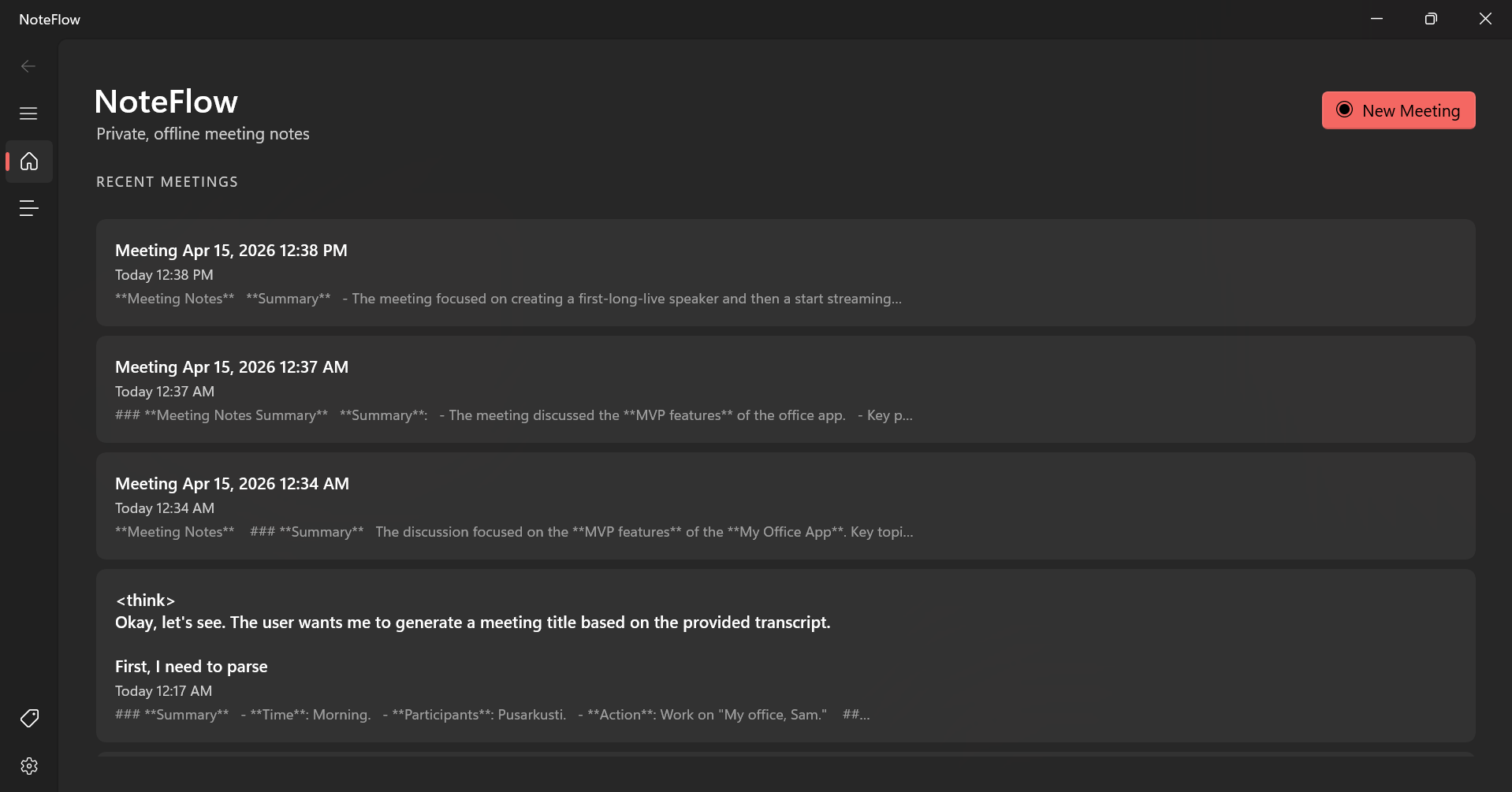
Capture every word. Enhance every note.
NoteFlow transcribes and summarises your meetings entirely on your computer. No cloud, no subscription required for core features.
Records Both Sides
Captures your microphone and computer audio at the same time. Every voice in the meeting is recorded — yours and theirs.
Live Transcription
Words appear on screen as you speak, powered by AI running entirely on your computer. Nothing is sent to the internet.
Notes + AI Enhancement
Type your own notes during the meeting alongside the live transcript. After the session, AI turns everything into a polished, structured summary in one tap.
Smart Templates
Five built-in meeting templates structure your output automatically: General Meeting, Sales Call, User Interview, 1:1, and Daily Standup.
Searchable History
Find any meeting or note instantly. Everything is stored securely on your computer — fast, offline, and private.
Export Anywhere
Copy to clipboard, export as Markdown, or save as plain text. Your data is always in open formats — no vendor lock-in.
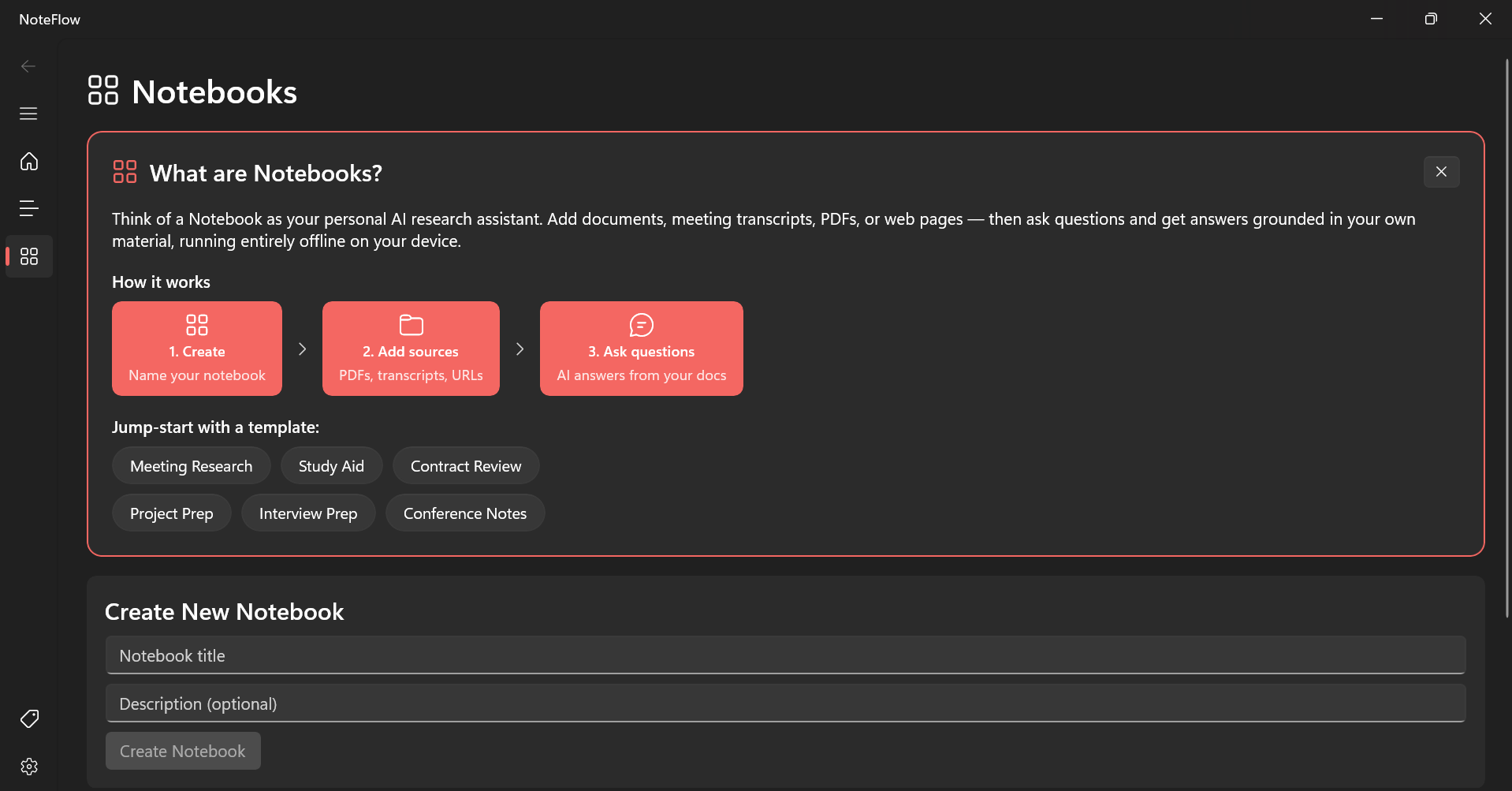
Your offline AI research assistant.
Create notebooks, add your documents, and chat with them using AI that reads your files — all without sending anything to the internet.
Multi-Source Notebooks
Add meeting transcripts, PDFs, text files, web pages, audio, and video to a single notebook. Your personal knowledge base, entirely offline.
Smart Document Chat
Chat with your documents using AI that reads your files and answers questions. Every response shows you exactly which document it came from.
AI-Generated Documents
Generate Study Guides, FAQs, Briefing Docs, and Timelines from any notebook collection with one click — all powered by your local AI.
Your AI in your favourite messenger.
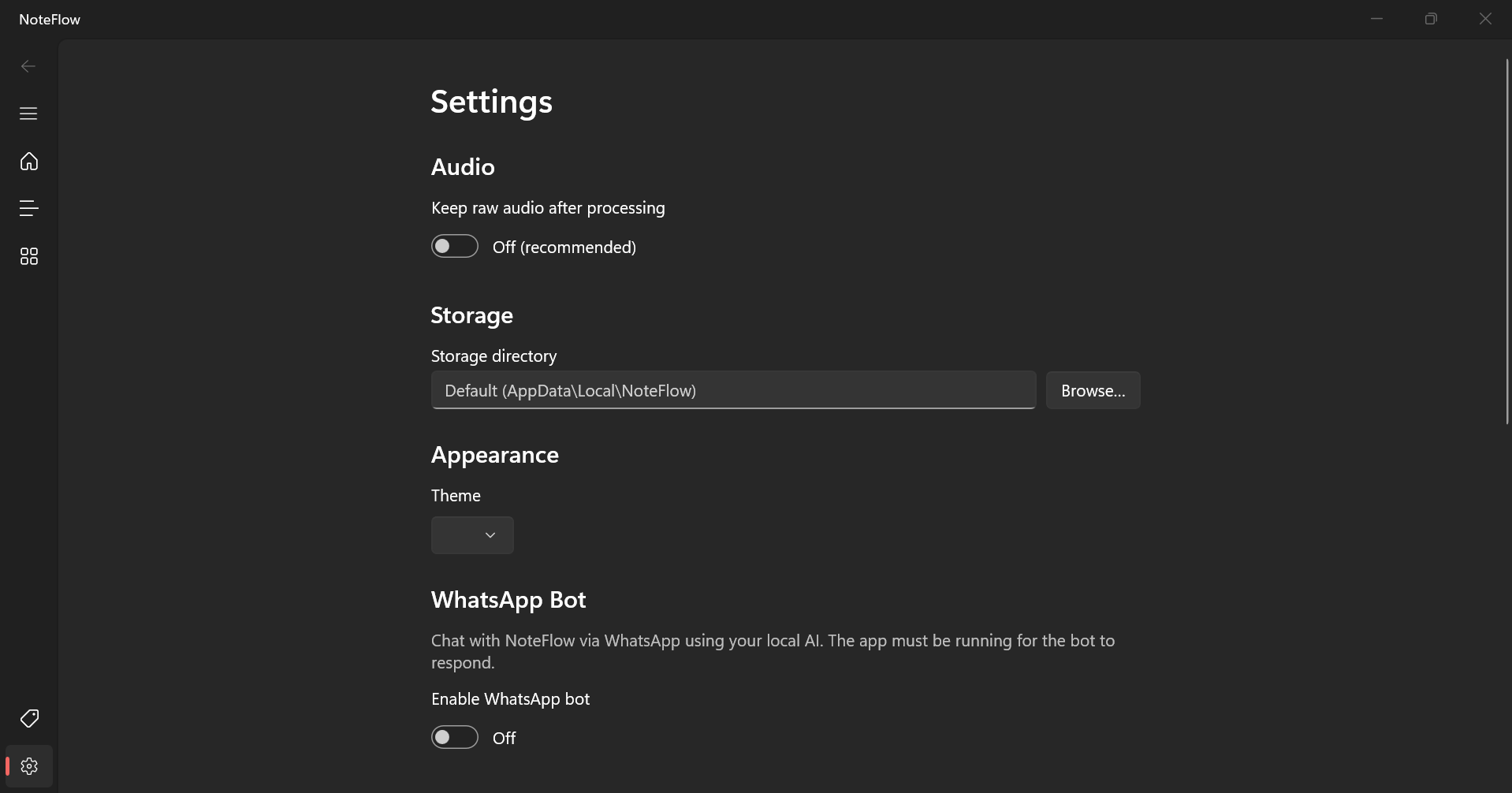
Turn your WhatsApp into a private AI assistant. Link your number, approve contacts, and let your local AI reply — no cloud API, no per-message cost.
10-Second Setup
Link your WhatsApp by scanning a QR code in Settings. NoteFlow connects to your existing number — no new SIM or account needed.
Whitelist Control
Only approved contacts can trigger AI replies. Everyone else is silently ignored. Your AI is accessible to who you choose, and no one else.
Zero Cloud Cost
Every reply is composed by your local AI on your own computer. No per-message fee, no usage quota, no cloud relay — ever.
Choose your AI quality
Pro users can select from three AI model tiers. Better models mean more accurate transcription, smarter notes, and deeper document understanding.
Fast
4 GB VRAM
Free & Pro
Quick, efficient models tuned for speed. Perfect for everyday meetings and note-taking.
Whisper Small · Qwen 3.5 2B · Qwen 3.5 0.8B
Balanced
8 GB VRAM
Pro only
Higher accuracy models with better reasoning. Ideal for professional meetings and detailed summaries.
Whisper Large v3 Turbo · Qwen 3 8B · Qwen 3.5 2B
Heavy
12 GB VRAM
Pro only
Best-in-class AI quality with the largest models. For users who need maximum accuracy and depth.
Whisper Large v3 Turbo · Qwen 3 14B · Qwen 3.5 4B
All models run entirely on your device. No data leaves your computer.
NoteFlow vs. the competition
See why NoteFlow is the only choice for privacy-first, offline AI note taking.
| Feature | NoteFlow | Otter.ai | Fireflies | Granola |
|---|---|---|---|---|
| Runs offline | ✓ | — | — | — |
| Audio stays on your computer | ✓ | — | — | — |
| Unlimited AI at a flat price | ✓ | — | — | — |
| Research notebooks with your documents | ✓ | — | — | — |
| WhatsApp AI assistant | ✓ | — | — | — |
| No account required | ✓ | — | — | — |
| Works without internet | ✓ | — | — | — |
Information based on publicly available features as of 2026.
Simple, honest pricing
The core app is free. Pro unlocks unlimited recording, full AI enhancement, and complete Notebooks access.
Wondering how that compares to Otter, Granola, or ChatGPT Plus? See your estimated savings →
Free
$0
- ✓ Local transcription
- ✓ 30-minute recording cap per meeting
- ✓ AI note enhancement
- ✓ Full history & search
- ✓ Markdown / plain-text export
- ✓ 5 meeting templates
Pro
$9.99
/ year
or $0.99 / month
- ✓ Everything in Free
- ✓ Unlimited recording length
- ✓ Balanced & Heavy AI models
- ✓ Full Notebooks access
- ✓ Unlimited AI documents
- ✓ WhatsApp AI Bot
- ✓ Priority support
Your data never leaves your computer
NoteFlow uses on-device AI to run transcription and summarisation directly on your computer. Raw audio is deleted after processing by default. Notes are stored in a local encrypted database — never uploaded anywhere.
No Account Required
Open the app and start capturing immediately. No sign-up, no login, no password.
No Telemetry
No analytics, no tracking, no remote logging. Disconnect from the internet and every feature still works.
Verified Offline
Works on a plane, in secure facilities, behind air-gapped networks — anywhere your computer runs.
Ready to take private notes?
Download NoteFlow from the Microsoft Store and start capturing meetings with AI today.
Get NoteFlow on Microsoft StoreFree tier included. Pro subscription available in-app.